


See & Solve Trivia Game Show
4.8439.00 Reviews
App Specs
- Version
- 1.9
- Updated On
- License
- Free
- Downloads
- 10,000+
- Developer
- Hoyt Games
- Categories
- Word
- Platform
- Android
Screenshots

 Analysis by AppCompare
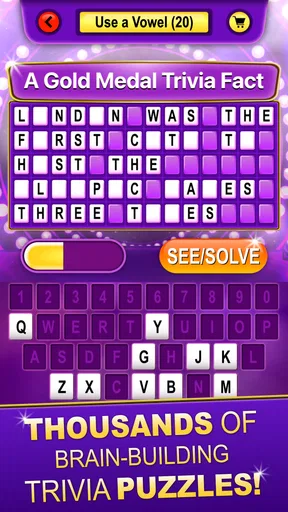
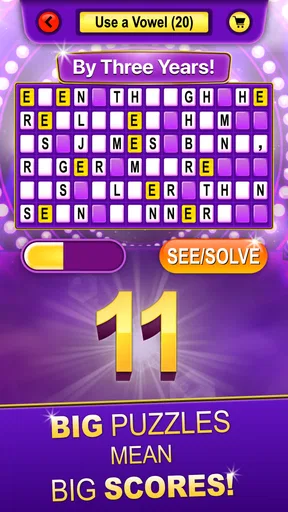
I tested See & Solve Trivia Game Show as the kind of word game that can sit on a shared phone or tablet and turn a quiet moment into a quick quiz. Its idea is simple: look at a clue, solve it, and keep your brain moving through trivia inspired by David L. Hoyt. That simplicity is its biggest strength, especially when several people want something they can understand without a long explanation.
This is a free word game from Hoyt Games, rated for Everyone. It does not present itself as a complicated strategy title or a large social platform. Instead, it works best as a compact mental challenge for people who enjoy wordplay, general knowledge, and the satisfaction of finding an answer from a carefully framed prompt. I found that its appeal grows when I stop treating it like a competition app and use it as a shared puzzle activity.
The game has an average rating of 4.8 from around 800 ratings and more than 400 written reviews, while its install count is above 10,000. Those figures suggest that it has found a focused audience rather than trying to be an enormous trivia ecosystem. It was released on July 17, 2024, and version 1.9 is the current version. It runs on Android 6.0 or later, so compatibility should be reasonable for many older devices.
How it works when one device becomes the quiz table
The most enjoyable way I used this game was with the phone placed between two people. One person reads the prompt aloud, both players think for a moment, and then they compare answers. That makes the app suitable for a kitchen table, a waiting room, or a short break when nobody wants to install a multiplayer game or create an account. The shared screen becomes the center of the activity, and the discussion around each clue is almost as important as solving it.
This setup also exposes an important trade-off. A game designed around looking and solving is naturally better for a small group gathered around one screen than for a household spread across different rooms. I would not choose it when everyone expects separate progress, private challenges, or a live online match. I would choose it when the goal is to start playing immediately and let the questions create conversation.
For a realistic everyday example, imagine a family waiting for dinner to finish. One person opens a puzzle, another offers a possible answer, and someone else notices a word connection the first player missed. The game gives that moment a little structure without demanding a full evening. It is also useful for a couple who wants a low-pressure alternative to scrolling through short videos: one clue can take only a moment, but a good answer often leads to a longer conversation.
The word-game format matters here. A standard trivia app may make you choose from multiple-choice buttons, which is convenient but sometimes encourages guessing. See & Solve feels more satisfying when the wording invites you to work something out. That makes it a better fit for players who enjoy language and deduction, while people who prefer rapid-fire tapping may find the pace less exciting.
Worth Reading Before You Choose

EA SPORTS FC Mobile 26 Is a Bigger Football Game, but It Takes Time

Flipboard Shows What News Apps Must Do Beyond the Feed

Switching to Android Auto Means Rethinking Your Driving Routine

Google Calendar Makes a Crowded Week Easier to Manage

Ludo King Makes the Most of the Minutes Between Plans

Baby Panda World Brings Quick Play to Modern Phones, but Its Game Library Feels Busy
What makes the solving format different
The central skill is not just recalling facts. I found myself paying attention to phrasing, possible meanings, and the way a clue points toward an answer. That gives the experience a more thoughtful rhythm than a simple question-and-answer quiz. It also means that two players can disagree for a useful reason: one may know the subject, while the other sees the wording more clearly.
My first practical tip is to read the clue twice before answering aloud. The first reading gives you the topic; the second often reveals the wording detail that separates a strong answer from a vague guess. In a shared setting, this also prevents the fastest speaker from dominating every round. A short pause makes the activity feel more like a puzzle and less like a race.
A second tip is to let the less confident player explain their reasoning before anyone announces an answer. That changes the game from a test of who reacts fastest into a small group exercise. It is especially helpful with mixed ages or different knowledge levels, because a player who does not know the fact may still notice the language pattern that solves the clue.
A third useful approach is to treat wrong answers as discussion prompts rather than failures. With this kind of game, the route to an answer can be entertaining even when the final guess misses. That makes it more forgiving for casual players than a score-focused quiz, although people who want strict competitive pressure may find the atmosphere too relaxed.
Using it on a household device
On a shared device, I would establish a simple turn before opening the first clue. Decide who reads, who answers first, and whether everyone can call out at once. These rules are not built-in family controls; they are just a practical way to keep the game comfortable when several people are involved. Without that small agreement, the most confident player can easily take over.
It is also worth deciding whether the group wants to solve together or keep individual scores on paper. The app is more naturally suited to a shared solving session than to a formal household leaderboard. Writing down points can add structure, but it also changes the mood. I preferred informal rounds when playing with people of different ages, because the conversation stayed more important than the result.
Account boundaries deserve attention in any shared-device situation. I would avoid assuming that one person’s use represents everyone’s ability or preferences. If the phone belongs to a parent, partner, or roommate, keep the game available as a group activity rather than presenting it as a personal record of everyone who touches the screen. That approach is particularly sensible when children are involved, since the Everyone rating describes the intended age context but does not replace an adult’s judgment about the household.
Because the game is free, it is easy to try without turning the decision into a purchase discussion. That is helpful for families and shared spaces where several people need to agree before installing something. At the same time, free access alone does not guarantee that every player will enjoy the style. Someone who dislikes wordplay, trivia, or reading clues may still prefer a visual puzzle, a board-game adaptation, or a faster arcade experience.
Age context and trust in the room
The Everyone rating makes the game approachable for a broad household audience, but I would still introduce it differently depending on who is playing. With younger children, I would read the clue aloud and use the moment to explain unfamiliar words. With older relatives, I would give them time to think instead of rushing toward the answer. The same puzzle can become a vocabulary exercise, a memory prompt, or a friendly contest depending on the group.
That flexibility is one of its strongest household qualities. It does not require every participant to have the same knowledge base. A child may notice a simple word relationship, while an adult contributes background knowledge. A grandparent may remember a fact that nobody else does. The game creates room for those different strengths, provided the group avoids turning every miss into criticism.
I would not use it as a substitute for a supervised children’s activity simply because the age label is broad. A rating can help indicate suitability, but it does not tell me how a particular child will respond to competition, unfamiliar topics, or losing a round. The best use is shared play, where an adult can explain clues and keep the tone encouraging. That is also where the game has more value than a solitary quiz session.
Trust is relevant in another way: players should agree on how much outside help is acceptable. Looking up an answer changes the activity from recall and deduction into research. There is nothing wrong with doing that if the group wants to learn, but I would separate “solve first” rounds from “let’s investigate” rounds. This small boundary keeps the challenge honest without making the game feel strict.
Where it fits beside other word and trivia games
Compared with multiple-choice trivia, See & Solve gives the player more responsibility. There is less comfort in eliminating obviously wrong options, but there is more satisfaction when the answer emerges from the clue. Compared with a crossword, it appears more centered on trivia-style knowledge and clue interpretation than on filling a grid. Compared with a party game built around elaborate rules, it is easier to explain and quicker to begin.
That middle position is useful, but it also defines who should skip it. If you want a large question bank with detailed categories, timed tournaments, online opponents, or a deep progression system, this may feel too focused. If you want a crossword-like experience with a visible board and long-form solving, a dedicated crossword app will probably suit you better. I would choose this game for short, conversational sessions rather than for a long solo commitment.
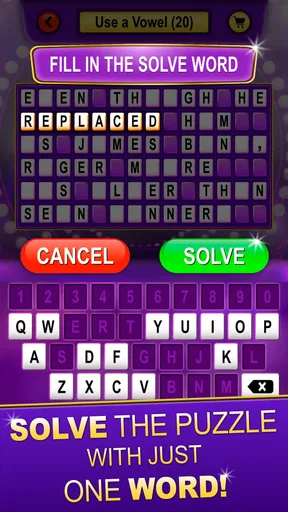
It also differs from many casual word games that reward making words from letters. The challenge here is not primarily about arranging tiles or building vocabulary from a rack. It asks you to interpret and solve. That distinction is important before downloading: players looking for an anagram game may be disappointed, while people who enjoy a clue that makes them pause will likely understand the appeal quickly.
The developer, Hoyt Games, keeps the identity of the experience closely tied to David L. Hoyt’s trivia style. I found that gives the game a more recognizable personality than a completely anonymous collection of questions. Still, personality cannot replace variety for every player. If you play for long stretches, the same solving rhythm may become familiar, so I recommend treating it as a recurring short activity rather than expecting an endless daily habit.
Small frictions that affect the decision
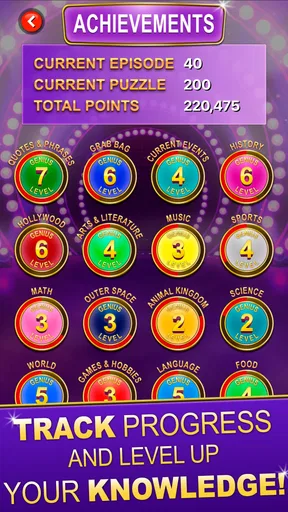
The biggest limitation is the narrowness of the format. See & Solve is easy to understand because it does not bury the player under systems, but that also means there are fewer reasons to keep returning if the clue style does not click. I would not install it for someone who needs constant unlocks, elaborate rewards, or a strong sense of long-term progression.
Shared play can create another minor friction: the screen has to remain visible to everyone, and the group must manage turns itself. That is fine for two or three people sitting together, but it becomes less comfortable with a large group. In that case, a party game with a host screen or printed cards may coordinate the room better. This app is at its best when the group is small enough for natural conversation.
The game also asks for a willingness to think before tapping. That is a strength for me, but not for every mood. When I wanted something completely mindless, a simple matching game was easier. When I wanted to feel involved in the answer, this was more rewarding. The right choice depends on whether the player wants mental effort or just a quick distraction.
For an older Android phone, the minimum requirement of Android 6.0 or later is reassuring, and the current version is 1.9. Even so, I would check that the shared device is comfortable to read and that everyone can see the screen clearly. The game’s usefulness in a household depends as much on the physical setup as on the software: a small, dim display can turn a pleasant group activity into an awkward one.
Who will get the most from it
I recommend it to people who like word puzzles but want a trivia flavor, families looking for a simple shared activity, and friends who enjoy discussing why an answer fits. It is particularly good for a short session with no preparation. Open it, read the clue, think, and talk. That low entry barrier is more valuable than it sounds when the alternative is explaining a complicated game before anyone can begin.
It can also work well as a conversation starter between generations. Rather than asking everyone to compete on the same factual ground, let each person contribute in their own way. One player may solve the wording, another may remember the subject, and another may connect the answer to a personal story. That is a less obvious use case, but it is where the game feels most distinctive to me.
I would skip it if your priority is private profiles, detailed household management, or a competitive online ladder. I would also skip it if you dislike reading-based challenges or become frustrated when clues require interpretation rather than a quick button press. A conventional quiz with multiple choices will be more accessible for rapid play, while a crossword or anagram title will be better for players who want a more traditional word board.
My household verdict
After using it as both a solo word challenge and a shared-device activity, I see See & Solve Trivia Game Show as a focused, friendly game rather than a complete trivia platform. Its free price makes experimentation easy, its Everyone rating supports broad household use, and its clue-led format gives conversations more room than a typical rapid-fire quiz.
The best results come from setting expectations before playing: keep the group small, agree on turns, decide whether outside help is allowed, and treat the score as optional. Those simple boundaries solve most of the coordination issues that appear when one phone serves several people. They also protect the game’s main pleasure, which is thinking together rather than proving who knows the most.
My final recommendation is positive for casual households, couples, and friends who enjoy language-based trivia in short bursts. I would not present it as a replacement for a full quiz library or a competitive multiplayer game. Instead, I would keep it in the rotation for those moments when everyone wants something light but still mentally engaging. If your ideal shared game is one that starts a conversation instead of demanding a complicated setup, this is a worthwhile free download.
Pros
- Quick rounds make it easy to play during short breaks.
- Trivia categories offer variety for different interests.
- Simple controls are accessible for most players.
- Competitive scoring adds motivation to replay.
- Game-show presentation makes quizzes feel more engaging.
Cons
- Some questions may feel repetitive after extended play.
- Difficulty can vary noticeably between trivia categories.
- A stable internet connection may be needed for some features.
- Players wanting deep explanations may find answers too brief.
- Frequent ads can interrupt the flow for free users.
FAQs for See & Solve Trivia Game Show
What is See & Solve Trivia Game Show?
See & Solve Trivia Game Show is a quiz-style mobile game built around visual clues, quick thinking, and general knowledge. Instead of answering questions only from text, players typically examine images, scenes, or puzzle-like prompts before selecting an answer. Its game-show presentation makes each round feel more engaging than a standard trivia app, especially for users who enjoy short challenges and competitive scoring.
How do you play See & Solve Trivia Game Show?
Gameplay generally involves viewing a visual clue or question, considering the possible solutions, and choosing the correct answer before the available time runs out. The app is designed to be easy to understand, so new players can start without a lengthy tutorial. As you progress, questions may become more difficult, requiring observation, memory, vocabulary, and a broad range of general knowledge.
Is See & Solve Trivia Game Show suitable for children and families?
The game can be a fun choice for family trivia sessions because its format is simple and encourages players to solve clues together. However, parents should review the app’s age rating, question topics, advertising, and any online or social features before allowing younger children to play. Difficulty and content can vary, so it may be better suited to older children, teenagers, and adults depending on the device version.
Does See & Solve Trivia Game Show require an internet connection?
An internet connection may be needed for some functions, such as downloading new content, displaying advertisements, synchronizing progress, accessing leaderboards, or using online competition features. Certain parts of the game may work offline, but this can depend on the version installed and the developer’s configuration. If you plan to play while traveling, test the app offline first rather than assuming every feature will remain available.
Is See & Solve Trivia Game Show free to download?
See & Solve Trivia Game Show may be available as a free download, but users should check the store listing carefully for advertisements, optional purchases, premium content, or limits on play. Free installation does not always mean that every feature is included without charge. Before downloading, review the listed in-app purchase details, privacy information, permissions, and recent user reviews to confirm that the current version matches your expectations.


